
Schedulaa
Schedulaa
  • FeaturesSee the full operating system for bookings, workforce, payroll, websites, and payments.WorkforceManage shifts, attendance, time-off, and team operations from one system.BookingAppointments, packages, availability, and checkout flows that stay on brand.MarketingPublish content, capture leads, and turn pages into conversion surfaces.CommerceSell physical or digital goods with inventory, categories, and shipping support.PayrollPreview, finalize, export, and audit payroll without leaving operations.Website BuilderLaunch branded websites and embedded booking flows without plugins.Business FinanceRun quote-to-work execution with estimates, payment links, field reports, and month-end visibility.Invoices & EstimatesCreate estimates, convert them to invoices, send payment links, and track cash, e-transfer, or card payments.Mobile AppDownload the Android app and see manager and employee workflows built for daily operations.
    View all product surfaces
  • IndustriesBrowse industry-specific workflows and deployment patterns.Demo / Test DriveWalk through the product with scheduling, workforce, and payroll in one view.ContactTalk to the team about rollout, migration, or enterprise questions.BlogRead product launches, operator guides, and workflow breakdowns.DocumentationImplementation guides, setup notes, and technical documentation.Zapier automationConnect booking and payroll events to the rest of your workflow stack.QuickBooks onboardingReview native accounting export setup for QuickBooks.Xero onboardingSee journal export and mapping guidance for Xero deployments.FAQGet quick answers about setup, pricing, and platform behavior.Help CenterGo to support and client help resources.
    View all resources
  • Pricing
Employee DashboardManager Dashboard

Choose language

Pick your preferred language for the marketing site.

LoginStart free
Employee DashboardManager DashboardLoginStart free
FeaturesWorkforceBookingMarketingCommercePayrollWebsite BuilderBusiness FinanceInvoices & EstimatesMobile AppPricingIndustriesDemo / Test DriveContactBlogDocumentationZapier automationQuickBooks onboardingXero onboardingFAQHelp Center

Book demo

Book directly without leaving the marketing site.

Open full page
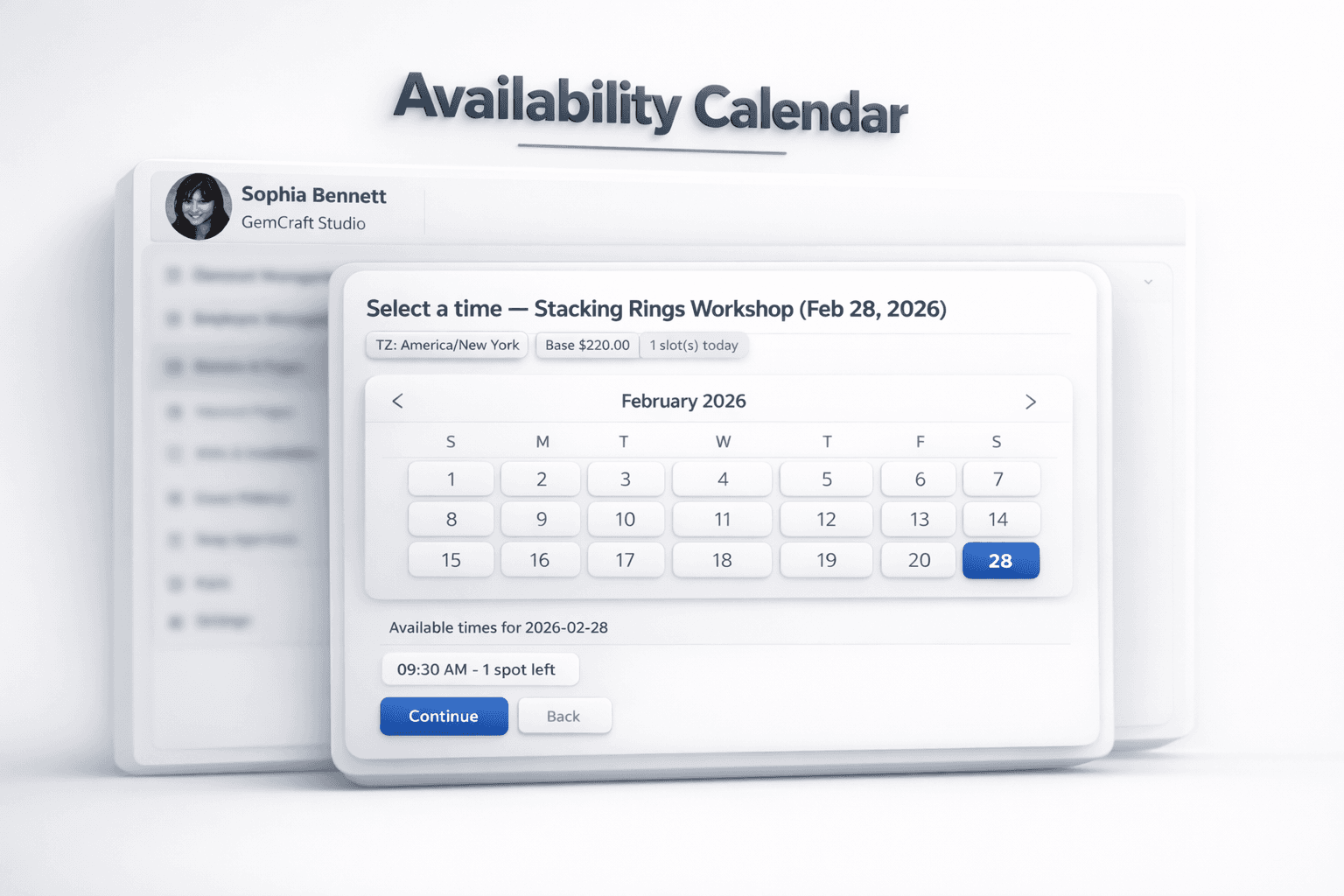
Real-time availability

Online Booking & Team Scheduling — with Stripe Payments

Schedulaa gives you a complete booking flow with real-time availability, provider choice, staff calendars, invitations, and Stripe-powered checkout.

Start booking onlinePreview a live service page
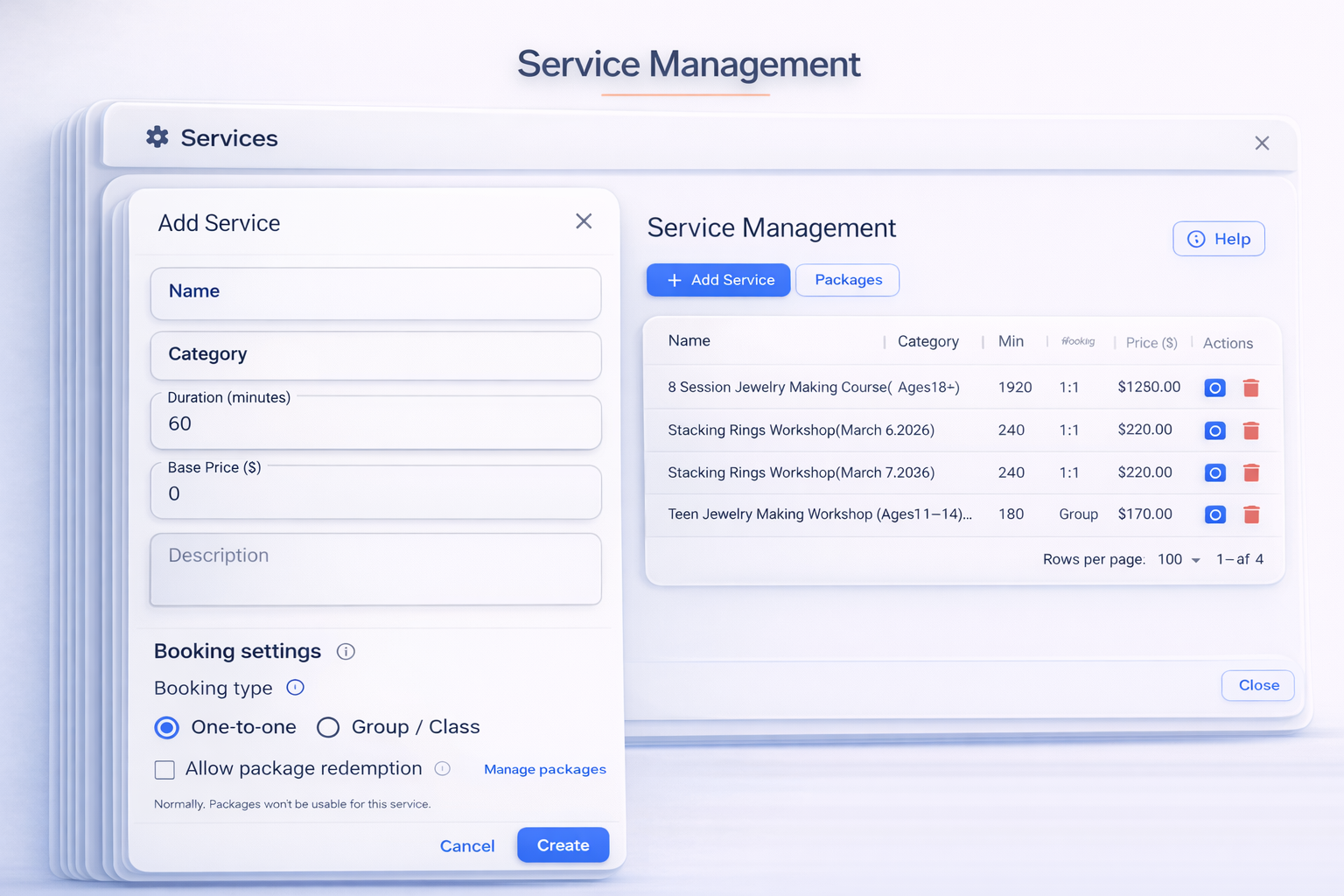
Service management
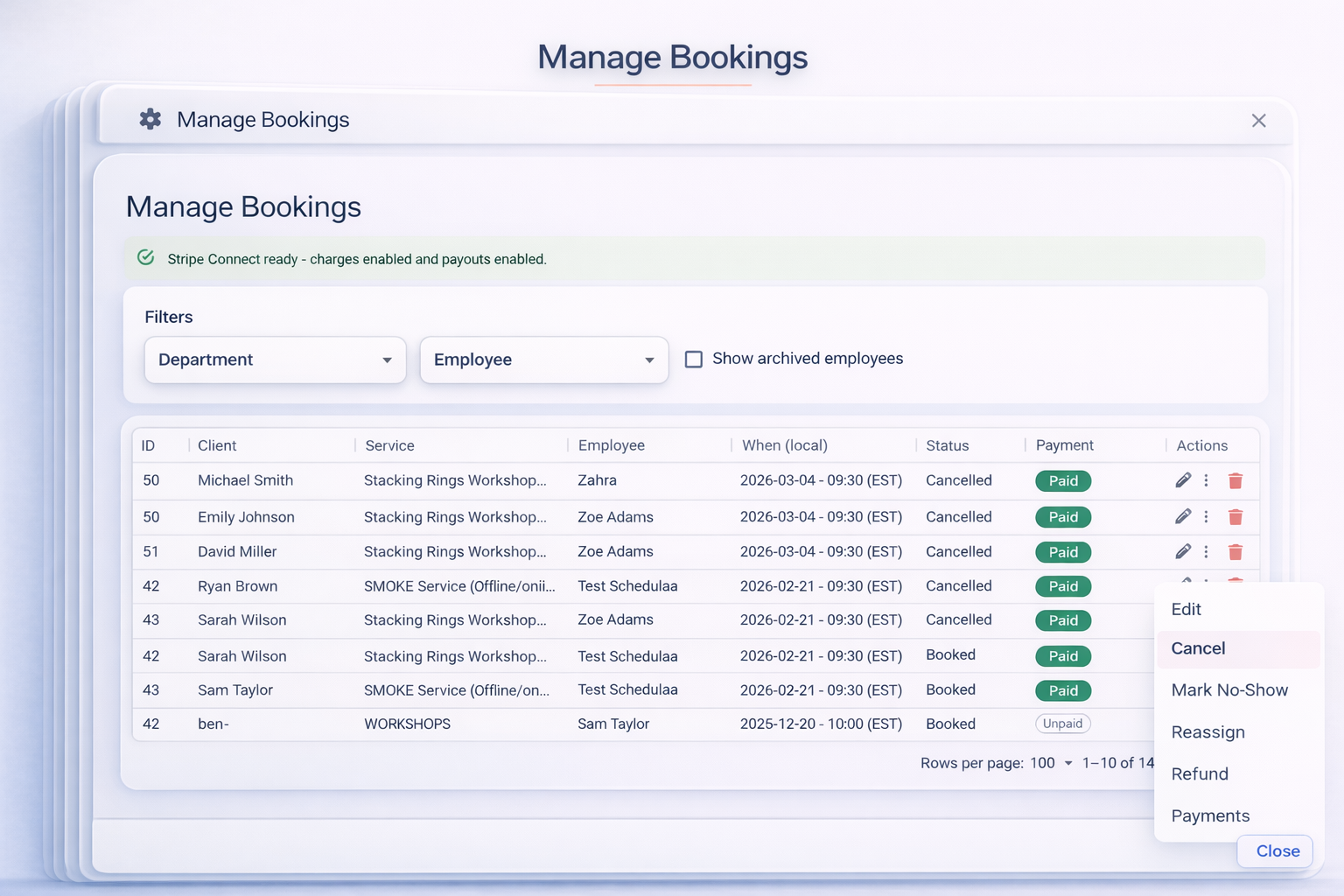
Payment collection
Checkout flow
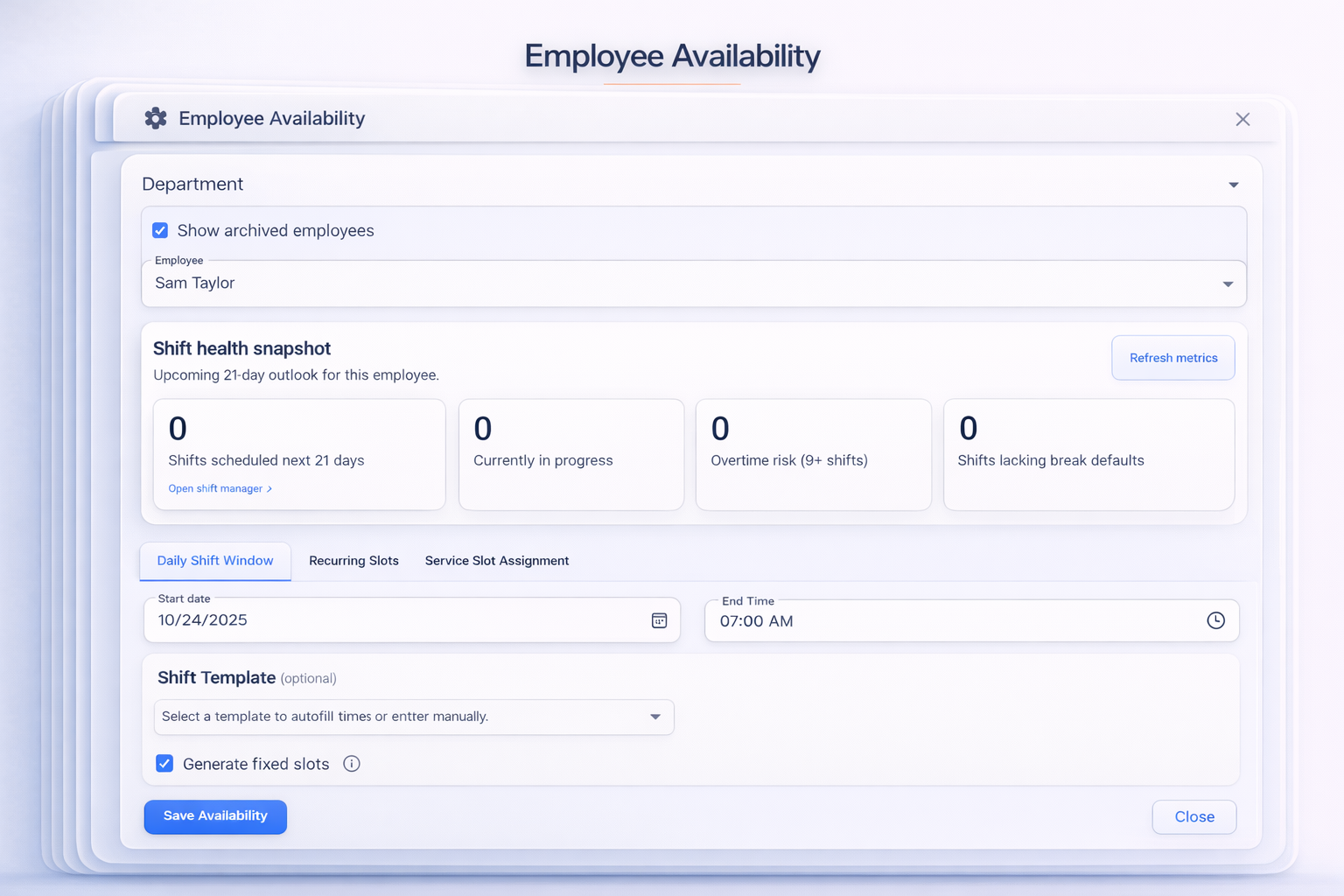
Employee availability
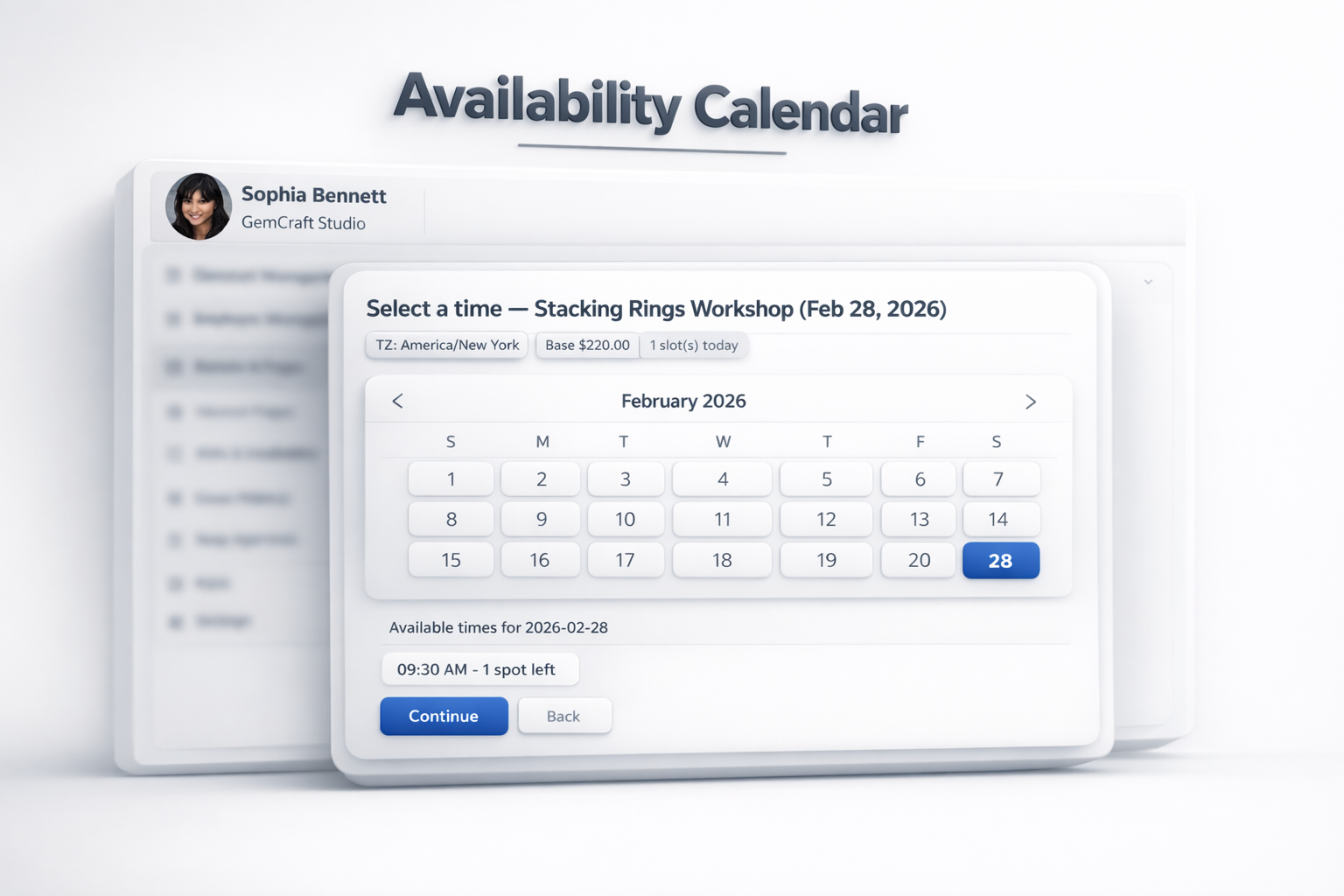
Client booking flow preview
Core booking workflows

Run booking, provider choice, and team availability from one operational layer

Schedulaa connects client-side slot selection with provider matching, team calendar controls, and public booking links so the booking flow does not break when operations change.

Real-time availability with provider choice

Clients see open days and times up front, click a slot, and confirm their provider inside the same modal. Time zones are normalized for each visitor so nobody misses an appointment.

  • • Green dot calendar view shows days with openings.
  • • Inline provider picker lists who is available for the chosen time.
Try a demo calendar

Public staff booking links without paid services

Employees can toggle a public link from their dashboard, set recurring availability, and share it anywhere. Clients pick a time in their local timezone; confirmations include your timezone label, Jitsi link, and cancel/reschedule controls.

  • • Host-facing availability powers both invites and public links.
  • • No payment required — ideal for interviews and consults.
  • • Upcoming Meetings shows public bookings with candidate details.
Enable public bookings (login required)

Manager calendar with shift and leave controls

See bookings across departments, approve swap requests, and close or open rolling time ranges. Staff adjust their own availability while managers keep guardrails in place.

  • • Filter master calendar by department, employee, or status.
  • • Bulk close, keep, or reopen ranges without touching booked slots.
Review team availability tools
Packages and capacity

Handle prepaid credits and shared-capacity sessions without extra tools

Prepaid packages and group classes sit inside the same booking flow, so teams can sell credits in advance, apply them cleanly at checkout, and protect seat limits.

Let clients buy packages and book without paying twice

Schedulaa supports prepaid service packages with remaining-credit tracking, booking windows, and zero-total package-covered checkout. Clients can see their credits and redeem them directly during booking.

  • • Sell 4-session, 8-session, or monthly-style packages in advance.
  • • Auto-apply eligible package credits at checkout.
  • • Client portal shows credits left and package status clearly.
See live availability

Book group sessions without losing control of capacity

Schedulaa supports one-to-one and group booking modes, capacity-aware availability, and live seats-left logic so classes and shared sessions stay bookable without overbooking.

  • • Set default capacity per service or class offering.
  • • Show seats left in live availability.
  • • Protect booked spots with transactional capacity checks.
Review team availability tools
Operations and checkout

Keep invitations, manager controls, and Stripe checkout tied to the booking record

Manager controls, intake forms, and payment collection stay connected to the live booking flow so staff and clients are always looking at the same source of truth.

Keep your team calendar aligned

Powerful calendar tooling helps managers guard capacity while keeping staff in control of their own schedules.

  • • Master calendar with filters by department, employee, or shift.
  • • Bulk close days, keep specific ranges, or edit single slots.
  • • Approve swap requests and track leave from the same dashboard.

Send profession-aware invitations with forms

Compose invitations that inject client names, unique booking links, and intake requirements. Attach questionnaires so guests fill out medical or onboarding forms before arriving.

  • • Profession templates for recruiters, doctors, salons, tutors, and more.
  • • Auto variables like {client_name} and {booking_link} fill into emails.
  • • Attach questionnaires and require completion after booking.

Flexible payments and tips powered by Stripe

Offer full payment, deposits, or card-on-file capture. Clients can add tips or apply coupons, and the success page shows every line item for services or products purchased.

  • • Support percentage or fixed tips and optional add-ons.
  • • Configure per-company payment policies (pay, deposit, capture).
  • • Receipts and card storage handled through Stripe Connect.
Why teams choose Schedulaa

Booking, scheduling, and payments in one hub

Everything from provider availability to checkout happens inside Schedulaa — no double entry or extra plugins.

Real-time slot picker

Show open times by provider and let clients pick the person and time that works. Slots adjust immediately when staff update availability.

See live availability

Shareable “Book with me” pages

Let staff publish a public link for consults or interviews. Availability comes from their schedule, confirmations include Jitsi + cancel/reschedule links, and bookings flow into the Upcoming Meetings panel.

Open public-link settings

Manager & team calendars

Use the master calendar to review bookings, shift coverage, and leave. Enterprise availability views make bulk changes fast.

Explore vertical solutions

Stripe payments at booking

Offer pay-now, deposit, or capture (card on file) checkout flows. Support add-ons, coupons, multi-currency display, and tips.

See payment options

Prepaid packages and session credits

Sell multi-session packages in advance, let clients redeem credits during booking, and track remaining package balance in the client portal.

Preview a live service page

Group classes with seat limits

Run one-to-one services or shared-capacity classes from the same booking flow. Show seats left live and stop overbooking automatically.

Explore booking features
Quick links

Website builder

Website builder

Marketing automation

Marketing automation

Salon booking

Salon booking

Tutor scheduling

Tutor scheduling

Medical booking

Medical booking
FAQ

Booking and scheduling questions

Answers based on what Schedulaa delivers in production today.

How do clients choose a provider?

Once a client selects a time, Schedulaa reveals the providers available for that slot. They pick the person they want before confirming.

Can managers bulk-edit availability?

Yes. Enterprise availability tools let managers close an entire day, close before or after a time, or keep just a specific range while preserving existing bookings.

Do you support deposits or saving a card?

Absolutely. Companies choose pay-now, deposit, or card-on-file capture policies. Stripe processes payments securely either way.

Do you support prepaid packages?

Yes. Businesses can sell service packages in advance, track the remaining credits for each client, and let eligible bookings use package credits during checkout.

Can I run group classes or shared-capacity sessions?

Yes. Schedulaa supports one-to-one and group booking modes, capacity-aware availability, and live seats-left handling to help teams avoid overbooking.

Booking, payroll, and websites together

Start booking clients the same day you sign up

Launch online booking, publish availability, and connect Stripe without installing plugins or stitching tools together.

Start freeTalk to our team
footer gradient
Schedulaa

Schedulaa is the operating system for service businesses: scheduling, payroll, and website booking in one platform.

Company

  • Contact
  • Status
  • Roadmap
  • Privacy
  • Refund policy
  • Terms
  • Account deletion
  • Log in
  • Get started

Product

  • Features
  • Workforce
  • Booking
  • Industries
  • Marketing
  • Commerce
  • Payroll
  • Website Builder
  • Business Finance
  • Mobile App
  • Pricing

Resources

  • Blog
  • Demo / Test Drive
  • Contact
  • Docs
  • Help Center
  • Zapier automation
  • QuickBooks onboarding
  • Xero onboarding

Compare

  • Compare hub
  • Alternatives hub
  • Schedulaa vs Vagaro
  • Schedulaa vs QuickBooks
  • Schedulaa vs QuickBooks Payroll
  • Schedulaa vs Humi
  • Schedulaa vs Square Appointments
  • Schedulaa vs Xero
  • Schedulaa vs Deputy
  • Schedulaa vs Homebase
  • Schedulaa vs When I Work
  • Schedulaa vs Acuity Scheduling
  • Schedulaa vs Gusto
  • Schedulaa vs ADP
  • Schedulaa vs Paychex
  • View all comparisons

© 2026 Schedulaa. All rights reserved.