
Tutoring Growth
How Tutoring Centers Lose Revenue on Missed Sessions, Scheduling Gaps & Disconnected Parent Communication (and How to Fix It)
Tutoring centers lose revenue when scheduling, tutor availability, virtual lesson links, parent communication, and payments live in different tools. Here's how to run a tighter tutoring workflow.
6/23/2026 • Operations
Watch the workflow first
Video walkthrough
See how one connected system keeps scheduling, video links, and follow-up in sync
Watch how bookings, tutor availability, Jitsi session links, reminders, and payment follow-up can stay connected in one operational workflow for tutoring teams.
Most tutoring centers do not lose revenue because they lack demand. They lose revenue because the path from inquiry to lesson to payment is fragmented.
When tutor schedules, parent communication, virtual session links, client history, and invoicing live in different places, missed sessions and admin drag become normal.
The hidden cost of bad scheduling in tutoring

Chaotic scheduling creates more than confusion. It leads to underused tutors, missed sessions, parent frustration, slow rescheduling, and late payments.
A student who misses a session because the reminder was unclear, the tutor was reassigned, or the video link was buried in an old email is not just one lost hour. It can affect retention, package renewals, and trust.
That is especially costly for centers balancing in-person sessions, after-school peaks, weekend demand, and online lessons.
Where tutoring centers usually leak profit
Bookings come in through calls, messages, and forms, but the real tutor schedule lives somewhere else. That creates scheduling gaps and preventable conflicts.
Virtual lesson links are handled manually, so tutors and parents waste time searching old emails or sending fresh links at the last minute.
Session notes, parent preferences, student history, and attendance context are scattered, so every follow-up feels slower than it should.
Invoices or payment reminders happen outside the scheduling workflow, which delays collection and creates more admin after the lesson is done.
Rebooking the next session depends on staff remembering to follow up instead of using a repeatable workflow.
How to fix it: keep booking, video, and payment in one workflow
The solution is not another disconnected scheduling app. The solution is one operational system that keeps tutor availability, bookings, parent communication, virtual session details, and payment steps connected.
Schedulaa fits tutoring centers well because it combines online booking, manager-created bookings, scheduling, client records, reminders, invoices, payment links, and Jitsi-friendly session workflows in one place.
That means your team does not have to rebuild context every time a session changes, a parent calls, or a tutor needs the latest information.
What that looks like in practice for tutoring teams
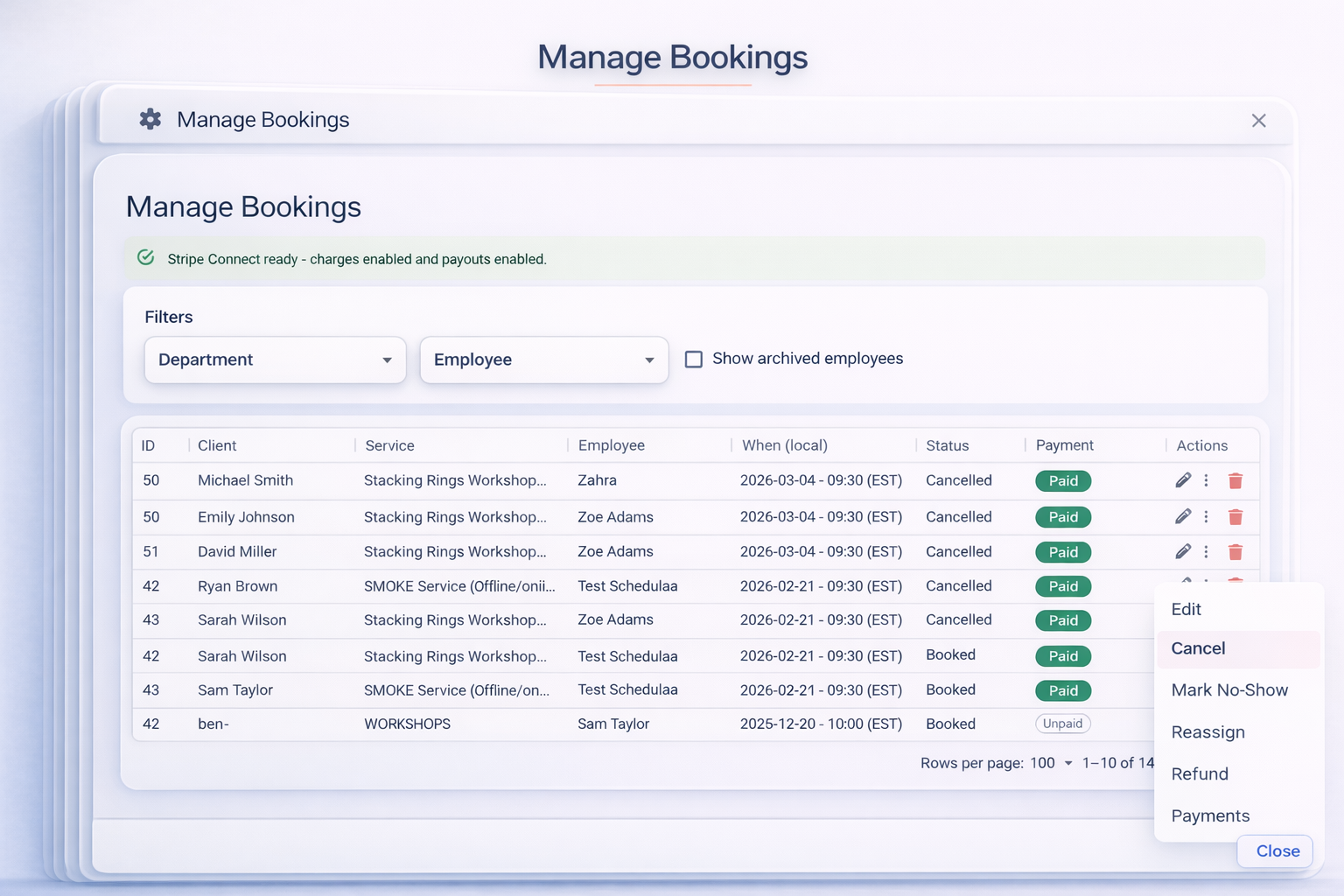
Parents or students can book online, or your admin team can create the lesson for them while keeping the same client record.
Managers see real tutor availability and assign the right tutor without maintaining separate spreadsheets and chat threads.
Virtual sessions can stay tied to the appointment record, so confirmations and reminders carry the right timing and video context.
After the lesson, the team can add notes, follow up, rebook, and send invoices or payment links from the same workflow.
That makes hybrid tutoring far easier to manage because in-person and online lessons share one operational backbone.
Why this matters for small-to-growing tutoring centers
Most tutoring teams are not looking for bloated enterprise education software. They need something practical that handles real daily operations.
A basic calendar tool is not enough once you manage multiple tutors, recurring sessions, parent communication, lesson notes, and payment follow-up.
Schedulaa fits that middle ground well. It gives tutoring teams a cleaner operational workflow without forcing them into multiple subscriptions or manual coordination.
What to track if you want proof this is working
- Missed-session and no-show rate before vs after better reminders and scheduling control.
- Tutor utilization across peak hours and slower periods.
- Average time to reschedule a cancelled lesson.
- Rebooking and recurring-session rate per student.
- Time spent by admins on reminders, video-link coordination, and manual follow-up.
- Payment speed after lesson completion or invoice send.
A simple tutoring growth playbook
Publish a clear booking experience for new and repeat students.
Keep tutor availability accurate in one schedule instead of multiple calendars.
Tie virtual session context to the booking so reminders and video details do not get lost.
Use the same client record for lesson notes, follow-up, rebooking, and billing.
Reduce missed sessions by combining reminders, client history, and fast rescheduling into one workflow.
The bottom line
Tutoring centers rarely have a demand problem first. They usually have an operational leakage problem first.
When scheduling, video links, parent communication, and payments are disconnected, staff lose time and students experience more friction.
The tutoring businesses that scale more cleanly are the ones that connect bookings, delivery, follow-up, and billing in one system.
Schedulaa gives tutoring teams that connected workflow without unnecessary complexity.
Recommended next step
Explore estimates, invoices, and payment links
See how Schedulaa helps service businesses send estimates, issue invoices, share payment links, and track payments.